


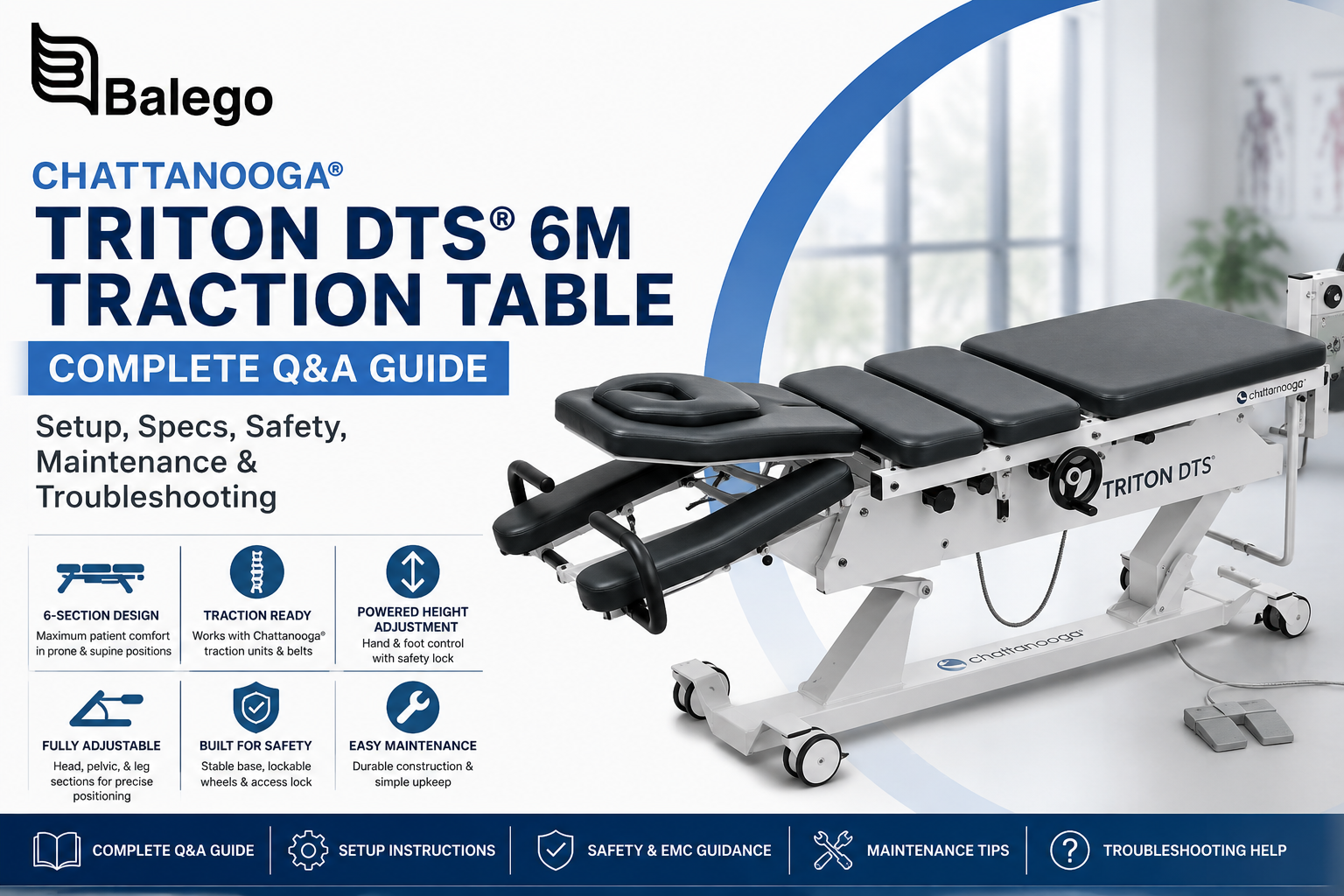
Chattanooga Triton DTS 6M Setup & Troubleshooting Guide
Already own or operate a Chattanooga® Triton DTS® 6M? This guide focuses on the questions that matter after the table arrives: room setup, controls, section positioning, height-adjustment problems, access-lock behavior, routine maintenance, and conditions that require professional service.
For current dimensions, available colors, specifications, pricing, and ordering information, use the Chattanooga Triton DTS 6M product page.
For the traction unit, belts, bolster, and cervical/lumbar system options that pair with the table, see the Chattanooga Triton DTS Traction Accessory Packages. The table and traction components are separate parts of a complete DTS setup.
Triton DTS 6M Troubleshooting: Start Here
When the table does not respond normally, begin with the operator-level checks below before assuming that the actuator or controller has failed.
| Problem | Check first | What to do |
|---|---|---|
| The table will not raise or lower | Power connection | Confirm the power cord is connected at the controller and AC outlet. |
| Controls respond but height will not change | Access lock | Make sure height adjustment has not been locked. |
| The table stops responding after repeated height changes | Actuator duty cycle | Stop operating the height control. Remove the patient if necessary, disconnect power, and follow the manufacturer's cooldown procedure before reconnecting. |
| Movement stops under a heavy load | Safe operating load | Reduce the load. Do not repeatedly cycle the actuator against an overload condition. |
| Rattling, squeaking or abnormal actuator noise | Actuator condition | Stop using powered height adjustment and arrange for service evaluation. |
| A manually positioned section will not hold properly | Gas spring or locking mechanism | Stop relying on the affected section and have the mechanism inspected. |
| The power cable is cut, pinched or damaged | Electrical safety | Unplug the table and remove it from service until inspected. |
| Liquid reaches wiring or actuator components | Electrical contamination | Disconnect power immediately and arrange for a qualified inspection. |
| A loose joint cannot be tightened normally | Mechanical integrity | Stop using the table until the problem is evaluated. |
Why Did the Triton 6M Stop Raising or Lowering?
One of the most useful specifications for an existing owner is not the table's overall dimensions—it is the height-actuator duty cycle.
The Triton 6M height system is rated for discontinuous use: a maximum of approximately 2 minutes operating, followed by at least 18 minutes off under the manufacturer's technical specification. If continuous operation is exceeded and the height mechanism stops, the troubleshooting procedure calls for removing the patient if necessary, unplugging the table, and waiting at least one hour before reconnecting it.
That distinction matters in a busy clinic. A table that stops after repeated up/down adjustments does not automatically have a failed motor. Check the duty-cycle history, access lock, and electrical connection before requesting repair.
If normal operation does not return after the specified cooldown and basic checks, discontinue use rather than repeatedly cycling the controls.
Before First Use—or After Moving the Table
A short room-readiness check can prevent several avoidable problems.
| Check | Why it matters |
|---|---|
| Clear the space below the frame | Objects underneath can be contacted or damaged as the table changes height. |
| Provide working clearance around the table | Chattanooga specifies at least 80 cm / 31.5 in on each side. |
| Keep the outlet accessible | The plug is the means of disconnecting the table from mains power. |
| Route the power cord away from moving parts | The cord should not be pinched by the table or create a trip hazard. |
| Lock the wheels before treatment | The table should be secured in its working position before patient use. |
| Keep body parts away from moving mechanisms | Section and height adjustments create pinch-point hazards. |
For broader treatment-room purchasing and layout choices, compare our professional treatment tables.
Using the 6M's Adjustable Sections
The “M” configuration combines powered table-height adjustment with manually positioned treatment sections assisted by gas springs. That makes its operating workflow different from the more extensively powered DTS 6E.
Before changing a section angle, verify that the patient is stable and supported. Keep fingers and other body parts out of the gaps between cushions and moving sections. The front/head-chest and leg sections use gas-spring-assisted controls, while pelvic positioning uses its dedicated adjustment mechanism.
A section that suddenly drops, fails to remain in position, leaks at the gas spring or behaves differently from its normal motion should not simply be forced into position. Remove the affected adjustment from use and arrange inspection.
Access Lock: Check This Before Calling for Service
The Triton 6M includes a height-adjustment access lock intended to prevent unauthorized or accidental powered movement.
If the hand or foot control appears connected but the table refuses to change height, check whether this lock has been activated before assuming that the controller or actuator has failed. The manufacturer's troubleshooting chart specifically identifies the access lock as a cause of apparently nonfunctional height adjustment.
When the table is not being used, follow your facility's procedures for preventing unauthorized operation.
Moving the Triton 6M Safely
Do not use the Triton 6M as a patient transport device.
Before relocating the table, remove the patient, disconnect the mains plug, and protect the power cable from wheels, frame members, and other equipment. Release the transport system only when the table is empty and under control.
After repositioning the table, return the wheels to the secured working condition and perform a quick visual inspection of the cord, controls, and frame before resuming clinical use.
Triton 6M Maintenance Schedule
Routine inspection is especially important on a table that combines powered elevation with manually adjustable sections.
| Interval | Operator/Facility Check | Escalate when |
|---|---|---|
| After patient use | Clean/disinfect appropriate treatment surfaces using manufacturer-compatible methods | Upholstery is torn, split, excessively stiff or otherwise damaged |
| Regularly | Inspect power cord, controls, wheels and obvious mechanical connections | Wiring, controls or structural parts show damage |
| Every 3 months | Visually inspect gas springs for leakage or loss of performance | A spring leaks or a section no longer adjusts/holds normally |
| Every 3 months | Listen for unusual actuator rattles, squeaks or performance changes | Any unexpected actuator behavior is present |
| Every 6 months | Inspect threaded joints and specified movable mechanical points | A connection remains loose or movement is abnormal |
| At least annually | Have electrical safety inspected by appropriate technical personnel | Any required safety measurement is outside specification |
| After failure or repair | Repeat applicable electrical safety inspection | The table cannot be verified safe for return to service |
The manual calls for gas-spring and actuator checks every three months, threaded-joint inspection every six months, and electrical safety inspection at least annually and following failure or repair.
Cleaning Without Damaging the Table
Disconnect the table from electrical power before cleaning or maintenance that could cause accidental powered movement.
For upholstery, use cleaning products compatible with the manufacturer's directions rather than aggressive solvents or harsh cleaners. Avoid excessive wetting, and keep liquids away from the actuator, wiring, and other electrical components.
The most important troubleshooting distinction is surface moisture versus electrical intrusion. A routine surface-cleaning issue can usually be handled according to the cleaning instructions; liquid that reaches wiring or an actuator conduit is a service issue. The manufacturer's instructions call for immediate disconnection and qualified examination if electrical components are affected.
When to Stop Using the Table
Some conditions should end operator troubleshooting.
| Condition | Recommended response |
|---|---|
| Damaged or pinched electrical cable | Disconnect power and arrange inspection |
| Liquid inside or around electrical components | Disconnect immediately and obtain qualified inspection |
| Persistent failure after power/lock/duty-cycle checks | Remove table from service |
| Gas spring leak or significant loss of performance | Stop using the affected adjustment |
| Unexpected actuator noise or abnormal movement | Stop powered operation and obtain service |
| Loose structural connection that cannot be secured | Stop table use |
| Uncontrolled or unexpected table movement | Remove the table from clinical use until evaluated |
The manual instructs users to stop using the product when damage or performance inconsistent with the operating instructions is observed, with repair performed through the appropriate service channel.
For assistance, contact Balego.
Triton DTS 6M vs. Triton DTS 6E: Operator Workflow
If a clinic is deciding whether to continue with a 6M or move to a newer/premium configuration, the useful comparison is not another giant specification table. The operational difference is how clinicians reposition the table during the workday.
| Workflow consideration | Triton DTS 6M | Triton DTS 6E |
|---|---|---|
| Table height | Powered | Powered |
| Treatment-section positioning | Primarily manual, gas-spring assisted | Multi-section powered adjustment |
| Adjustment style | More hands-on clinician positioning | Greater push-button positioning |
| Comfort technology | Conventional 6-section platform | Adds features such as heated cushions |
| Maintenance focus | Gas springs plus height actuators are notable inspection points | Multiple powered actuators add a more electric positioning workflow |
| Best reason to choose | Strong fit when a clinic wants a DTS traction platform with simpler manual section positioning | Strong fit when powered positioning and premium workflow features justify the upgrade |
For a broader comparison beyond traction-specific tables, visit our Treatment Tables collection.
What Else Is Needed for a Complete DTS Traction Setup?
The Triton DTS 6M is the patient-positioning table, not the entire traction system.
Instead of maintaining another accessory list here—which can become outdated—use our Triton DTS Basic and Advanced Traction Accessory Packages to see the current traction-unit and accessory configurations available for the 6M and 6E.
For general information about cervical versus lumbar traction, evidence, appropriate clinical positioning, and other traction equipment, visit our Cervical and Lumbar Traction Therapy guide and collection.
For more detailed cervical-traction education, see the Saunders Cervical Traction Guide.
Frequently Asked Questions
Is the Triton DTS 6M completely manual?
No. Its treatment sections rely substantially on manual, gas-spring-assisted positioning, but table height is electrically powered.
Why won't my Triton 6M raise or lower?
Check the power connection and access lock first. If the table has recently undergone repeated height adjustments, the actuator's duty cycle may also have been exceeded. If the prescribed cooldown does not restore normal operation, discontinue use and arrange service.
How long should I wait if the height-adjustment duty cycle is exceeded?
The manufacturer's troubleshooting instructions specify disconnecting the table and waiting a minimum of one hour before reconnecting it when the continuous work cycle has been exceeded.
How often should the gas springs and actuator be inspected?
The manufacturer recommends checking both every three months: gas springs for leakage or performance problems and the actuator for unexpected sounds or performance deficiencies.
Can the Triton 6M be moved with a patient on it?
No. Patient transport is not the intended use of the table. Remove the patient and disconnect power before relocating the table.
Does the Triton DTS 6M include the traction unit?
the traction unit and accessory packages separately from the 6M table. Review the Triton DTS Traction Accessory Packages when building a complete clinical system.
Where should I look for current Triton 6M specifications?
Use the Chattanooga Triton DTS 6M product page at Balego. Keeping current specifications on the transactional product page prevents outdated or conflicting values from being repeated across multiple Balego articles.


